Before

Organize

Your songs, their versions and the plan, ready when you sit down.

Projects

Your library: every song, with its versions and when you last worked on it.

Add your projects
  • Sets you open in Live are added on their own. Connect Folder brings in the ones you already have.
  • Moved or renamed a set? Relink points its history at the new place.
  • Split a folder of several songs into one Ableton project per song, and undo it if you change your mind.
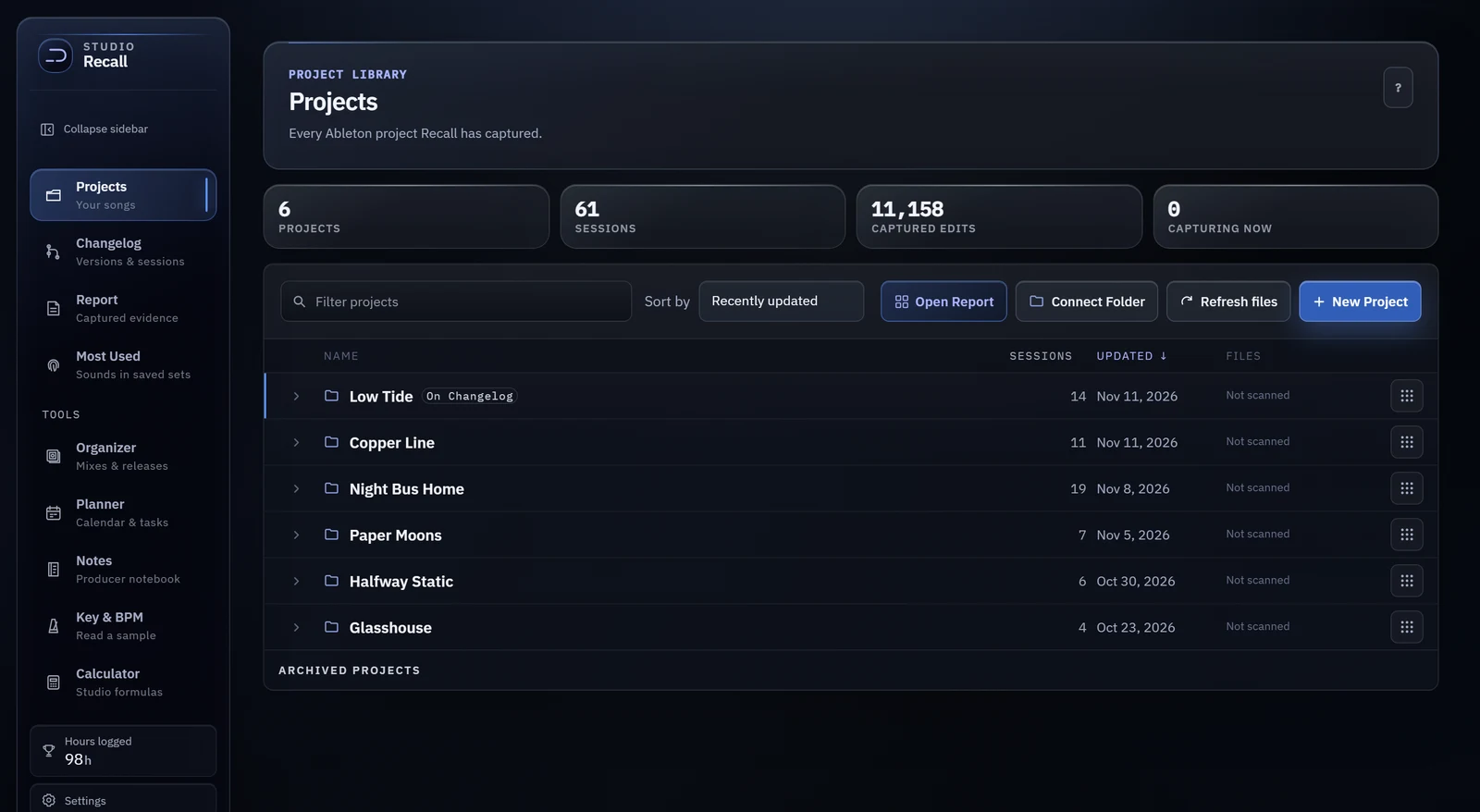
Recall's Projects library: six songs with their sessions and last-worked dates. Example library.

Changelog

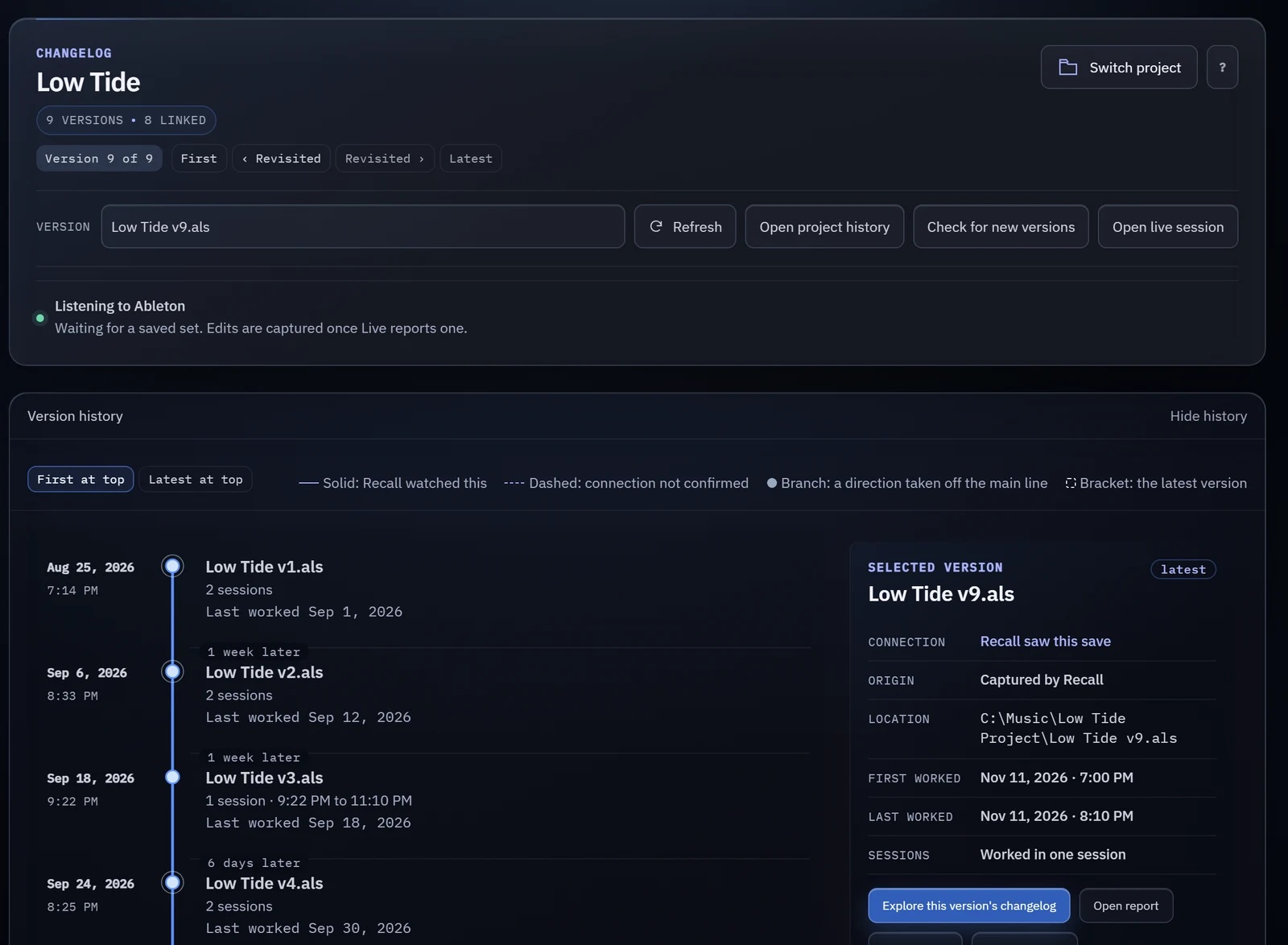
Every saved version of a song on one line, with the sessions you spent on each.

Versions, branches and sessions
  • Every .als you save becomes a version. Go back to an older one and keep working, and it shows as a branch.
  • Open a session to read each change Live reported, with the value before and after.
  • Jump to the first, latest or a revisited version, or open its file in Live.
The Changelog: nine versions of one song in order, with the latest selected. Example library.

Planner

A calendar for the work ahead, with the sessions you actually did on it too.

Planner tutorial
  • Plan a task on any day and link it to a project.
  • Release dates from Organizer and captured sessions appear on their days.
  • Switch between Month and Agenda, with an optional daily reminder.

Notes

A notebook for lyric ideas, mix checklists and things to try next session.

Notes tutorial
  • Notes save as you type, and search finds a note by its words.
  • Link a note to a project, or export it as a file.
During

Create

Small tools you reach for mid-session, so you don't open another app.

Key & BPM

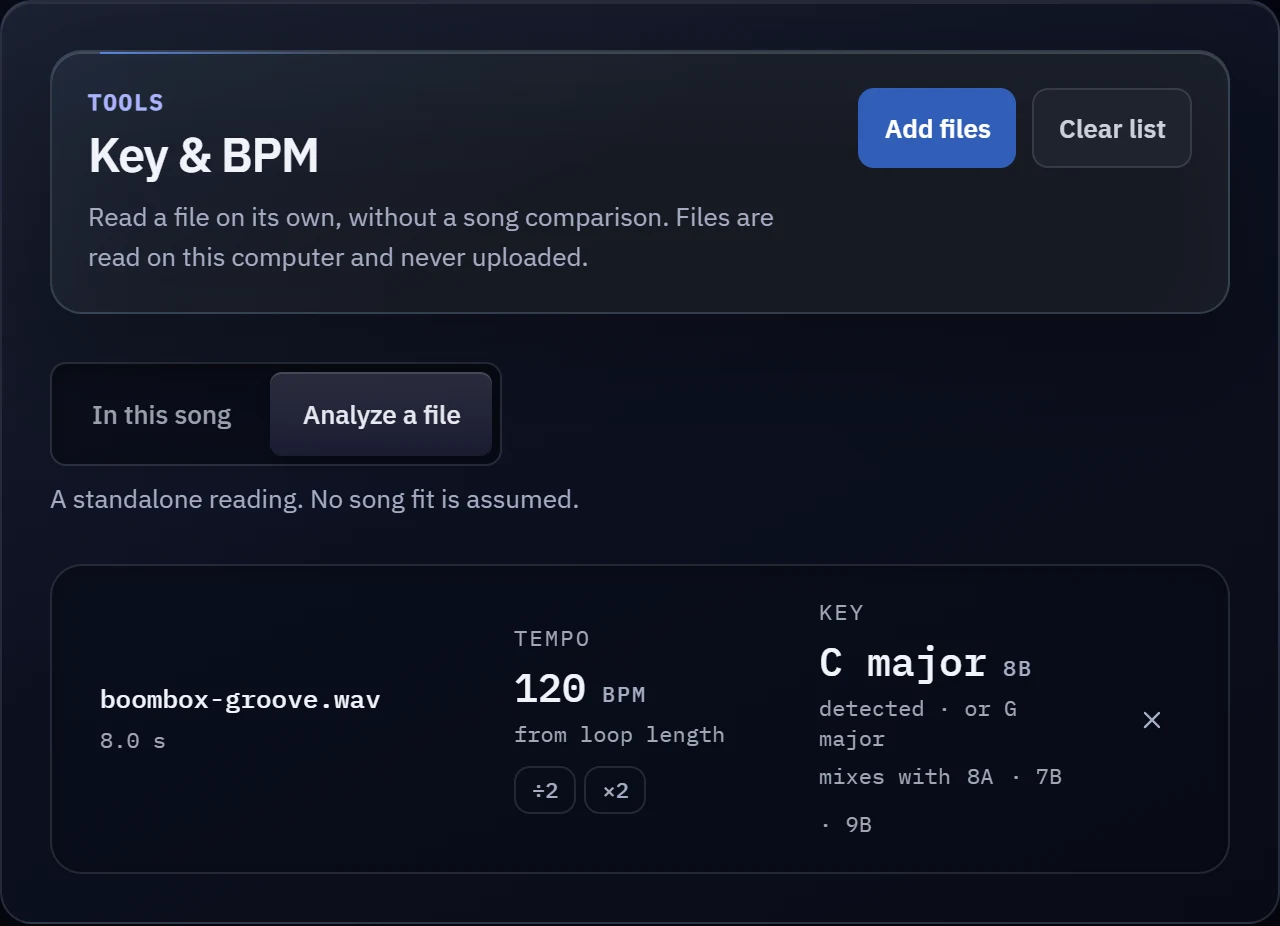
Reads a sample's key and tempo with a neural network that runs on your computer.

  • Drop audio files in to read each one's key and tempo.
  • See whether a sample fits the open set, and how many semitones to shift it.
  • Camelot matches, half and double tempo, and both options when a key is unclear.
Key & BPM reading a generated eight-second loop: 120 BPM, C major.

Calculator

Turns a tempo into note lengths, and a note into a frequency.

  • Straight, dotted and triplet note times for any BPM, in milliseconds and hertz.
  • Reverb pre-delay times, and note to frequency from C-2 to G8.
  • Copy any value with one click.

Most Used

The instruments, presets, samples and chains you keep coming back to, across every project.

Most Used
  • Each row says how many projects use it. Open it to see which ones.
  • Read from your saved sets. Nothing here changes a project.

Save reminder

An optional nudge when your set has gone 20 minutes with unsaved work.

  • Off until you turn it on in Settings. Recall never saves for you.
After

Understand

The hours, sessions and progress behind your music, and the release at the end.

Achievements

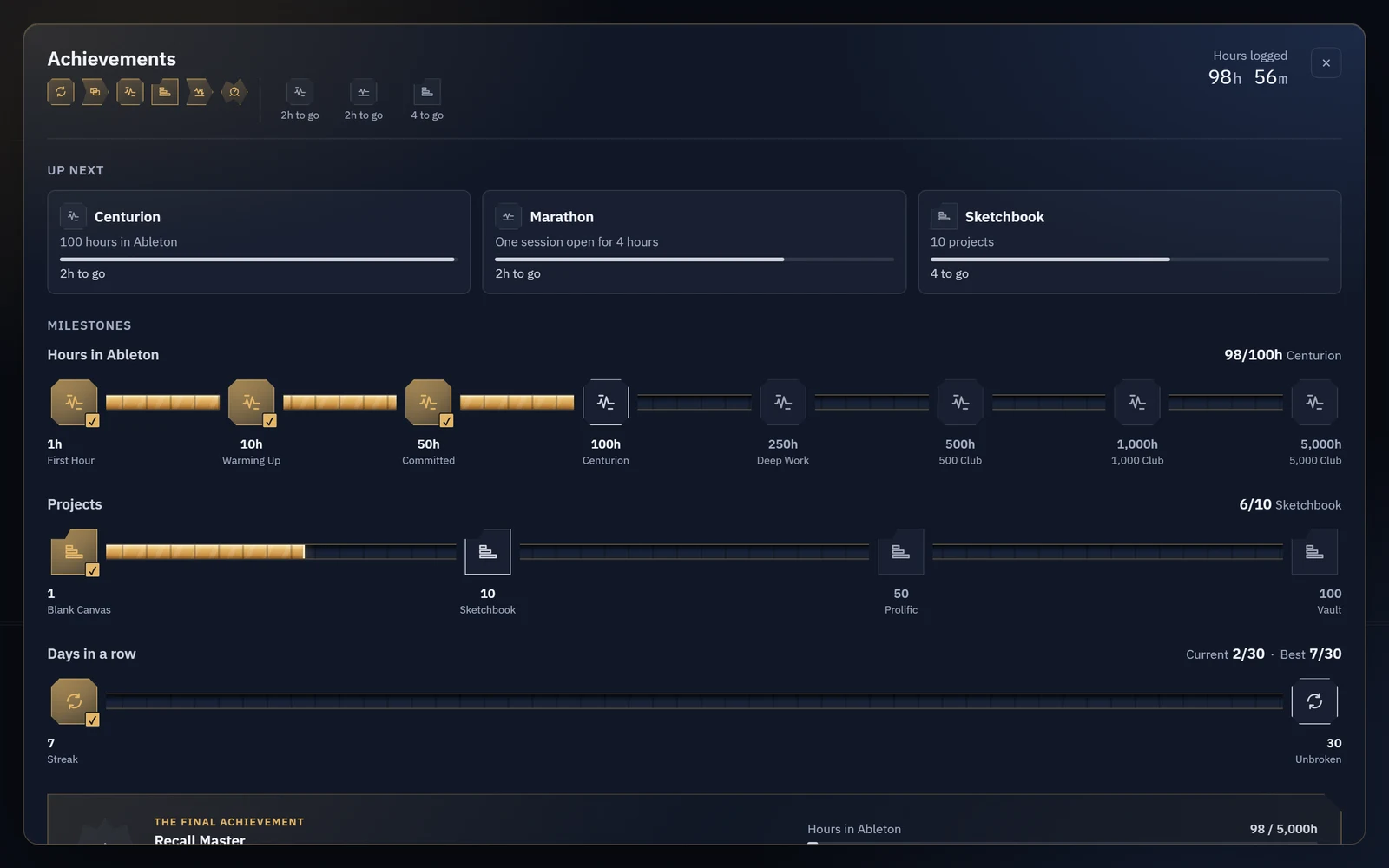
Hours logged and milestones for your time in Ableton, like playtime in a game.

Achievements and hours logged
  • Hours logged counts how long your sets were open with Recall listening.
  • Milestones for hours, projects, versions, days in a row and more.
  • Turn them off in Settings if you'd rather not see them.
Achievements: 98 hours logged, with milestones for hours, projects and days in a row. Example library.

Report

The numbers for one project: how long you worked, how it grew, and what's on each track.

What the Report shows
  • The Log shows your hours session by session, counting only the stretches where you made edits.
  • Project history shows how the song grew across its versions.
  • Export PDF saves the whole Report.

Organizer

Builds an album, EP or single from your finished mixes.

Build a release in Organizer
  • Link each song to its Ableton set and add your exported mixes.
  • Recall measures each mix's waveform, loudness (LUFS) and dynamic range on your computer.
  • Set the running order, mark final versions, and set a release date.

Share links

A private link that lets anyone you choose play a release in a browser. Invite-only for now.

Share a release with a link
  • Uploads only that release's final mixes. Listeners don't need an account.
  • Stop sharing turns the link off for everyone.

Try it on your next session.

Get the beta